

A luxury home office desk is defined by three non-negotiable qualities: ergonomic precision, refined materials, and technology that disappears into the design. Remote professionals who spend six or more hours daily at a desk cannot afford to treat these as optional upgrades. The luxury home office desk features that matter most go far beyond aesthetics. They protect your posture, reduce fatigue, and create a workspace that holds up visually and physically for years. The Alto Home’s Gramercy and Tribeca series demonstrate exactly how these qualities work together in a single piece of furniture.
1. Why adjustable height is the defining luxury desk feature
Electric height adjustability is the single most important premium desk design element available today. Standing should comprise 25–40% of your working day to maintain health and concentration. That share is impossible to hit without a desk that moves with you.
Dual-motor systems are the standard for high-end office desk qualities because they lift heavier loads silently and without vibration. A single-motor desk shakes at full extension. That shake is not a minor annoyance. It signals mechanical stress that shortens the desk’s lifespan and undermines the quiet, composed atmosphere a luxury workspace demands.
Programmable height memory settings remove friction from the sit-stand habit. You press one button and the desk moves to your exact sitting or standing height. Without memory presets, most professionals simply stop adjusting. The feature that justifies the price becomes furniture that never moves.
- Dual-motor systems handle 200+ lbs without vibration
- Memory presets store 2–4 personalized height positions
- Anti-collision sensors stop the desk if an object is in its path
- Quiet operation stays under 50 decibels, preserving focus
Pro Tip: Set a timer or use a desk with a built-in reminder to alternate positions every 30–60 minutes. Static standing causes fatigue just as sitting does. Movement is the actual health benefit, not the standing position itself.
The Alto Home’s adjustable height desks pair dual-motor lift systems with wood finishes that look as refined at standing height as they do when seated.
2. Premium materials and finishes that signal real quality
The surface of a luxury desk is where material quality becomes immediately obvious. Solid hardwood and veneer desks with clean architectural profiles form the foundation of any high-end home office. Oak, walnut, and ash are the most common choices because they age well, resist warping, and develop character over time rather than degrading.
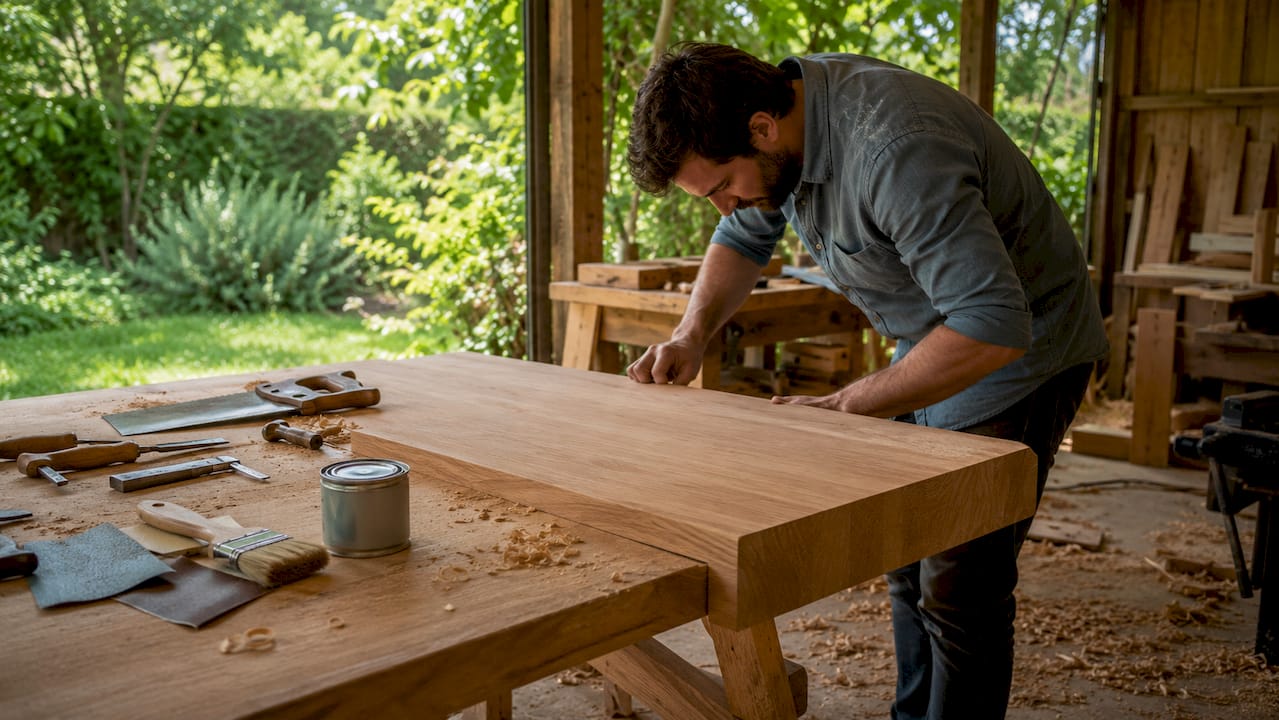
Natural oak with waterfall edges and layered lighting represents the current benchmark for quiet luxury in desk design. A waterfall edge is a continuous grain that flows from the top surface down the side panel without a seam. It signals that the material is real, not applied, and it requires more precise craftsmanship to execute.
Matte finishes dominate premium desk design right now for a specific reason. High-gloss surfaces show fingerprints, dust, and micro-scratches within days of use. Matte and satin finishes absorb light rather than reflect it, which makes the desk look composed under any lighting condition.
| Material | Key quality | Best for |
|---|---|---|
| Solid hardwood | Durability, natural grain | Statement desks, long-term investment |
| Wood veneer | Consistent grain, lighter weight | Architectural profiles, large surfaces |
| Leather inlay | Tactile luxury, writing surface | Executive desks, pen-and-paper workflows |
| Metal accents | Structural contrast, edge definition | Mid-century and transitional styles |
- Stain-resistant surface treatments protect against coffee and ink
- Leather tops add a tactile writing surface that glass and laminate cannot replicate
- Muted color palettes in warm neutrals photograph well for video calls
3. Integrated cable management and invisible technology
Cable management that hides wires and integrates hardware makes technology invisible, and that invisibility is central to the luxury perception. A desk with exposed cables reads as unfinished regardless of how expensive the surface material is. Visible wires also pull attention during video calls, which matters for professionals who spend hours on screen.
The best cable management systems are built into the desk structure rather than added as accessories. Routed channels run from the desktop surface through the legs and into a floor-level exit point. Nothing hangs. Nothing bunches. The desk looks the same from every angle.
Wireless charging pads integrated flush into the desk surface represent the next tier of technology integration. The pad sits level with the wood, covered by a thin panel that allows charging without breaking the surface plane. You set your phone down and it charges. There is no cable, no dock, and no visual interruption.
- Built-in cable trays run beneath the surface and exit through desk legs
- Flush-mounted power outlets sit inside routed recesses, not clamped to the edge
- Wireless charging zones are marked only by a subtle inlaid ring or material change
- Motor control panels recess into the desk frame rather than sitting on top
Pro Tip: Before purchasing, ask whether cable management is structural or accessory-based. Structural systems are permanent and clean. Accessory trays clip on and eventually sag.
4. Ergonomic geometry, storage, and desk placement
Correct desk height and geometry reduce forward lean, arm strain, and fatigue by creating a stable chair-desk interface. This is the ergonomic principle that most professionals skip because they focus on the chair alone. The desk shape determines how far you reach, how you hold your arms, and whether your shoulders stay level or creep upward over the course of a day.
Luxury ergonomic setup follows a layered sequence: environment first, then the chair-desk interface, then desk geometry, then storage and circulation. Skipping layers produces a workspace that looks correct but causes fatigue within two hours. The sequence matters because each layer compensates for the one below it.
Desk placement is an underrated ergonomic variable. Facing into the room with a solid wall behind you reduces subconscious alertness and improves focus. Side natural light prevents screen glare without blocking your view. Desks placed directly facing a window create a backlight problem that no monitor brightness setting fully solves.
Storage within arm’s reach reduces the micro-movements that accumulate into posture compensation. A drawer for your most-used items means you never twist, lean, or stand to retrieve something ten times a day. That sounds minor. Over a five-day week, it adds up to hundreds of unnecessary postural interruptions.
- Set desk height so your elbows rest at 90 degrees with shoulders relaxed
- Position your monitor at arm’s length and eye level to prevent neck tilt
- Place your most-used items within a 16-inch reach zone directly in front of you
- Orient the desk so natural light enters from the left or right, not behind the screen
- Use layered lighting: ambient overhead, task lamp at the desk, and accent light behind the monitor to reduce contrast fatigue
Pro Tip: Check your desk accessories placement before adjusting your chair. Most people compensate for a poorly arranged desk surface by changing their posture rather than their layout.
5. Style and design language in high-end desks
A luxury desk communicates its design language within the first three seconds of entering a room. Mid-century modern desks use tapered legs, warm wood tones, and minimal hardware. Scandinavian desks favor lighter woods, negative space, and functional simplicity. Transitional desks blend traditional proportions with contemporary finishes, making them the most versatile choice for mixed-style interiors.
The Alto Home’s Tribeca series draws directly from Scandinavian desk design principles, using clean lines and natural wood grain to create a desk that reads as both calm and considered. The Gramercy series takes a different approach, using fluted wood detailing on the legs to add visual texture without decorative excess.
Color palette discipline separates luxury desks from premium-priced ordinary ones. Warm neutrals, natural wood tones, and matte black or brushed brass hardware create a palette that reads as intentional. Mixing too many finishes or colors produces a desk that looks assembled rather than designed.
- Mid-century modern: tapered legs, walnut or teak tones, minimal hardware
- Scandinavian: light oak or ash, negative space, functional storage
- Transitional: traditional proportions, contemporary matte finishes, mixed materials
6. How to choose the right luxury desk features for your space
Matching desk size to room footprint is the first decision, and most professionals get it wrong by choosing too large. A desk that fills a room creates a workspace that feels like a storage unit. Dual-purpose room planning requires even more restraint because the desk must coexist with other functions without dominating the space.
Adjustable features should be tuned to your specific body measurements, not the manufacturer’s default range. The standard height range for most electric desks runs from approximately 24 to 50 inches. Taller professionals need desks that reach at least 48 inches at standing height. Shorter professionals need a minimum sitting height below 27 inches. Confirm the range before purchasing.
Budget allocation within the luxury category follows a clear hierarchy. Spend the most on the surface material and the motor system. These are the components you interact with every day and the ones that determine longevity. Spend less on accessories and storage, which can be upgraded later without replacing the desk.
- Confirm the full height range matches your body measurements before buying
- Choose a desk depth of at least 28 inches for dual-monitor setups
- Select a finish that matches your room’s dominant material, not its accent color
- Prioritize motor quality and surface material over decorative details
Key takeaways
Luxury home office desk features work as a system: ergonomic height adjustment, refined materials, invisible technology, and deliberate placement each reinforce the others to produce a workspace that is both healthy and visually composed.
| Point | Details |
|---|---|
| Height adjustability is foundational | Standing 25–40% of the workday requires a silent dual-motor desk with memory presets. |
| Materials define longevity | Solid hardwood or veneer with matte finishes outlasts laminate and resists daily wear. |
| Invisible tech preserves aesthetics | Built-in cable management and flush wireless charging keep the surface visually clean. |
| Ergonomic geometry reduces fatigue | Correct desk height, reach zones, and desk orientation prevent posture compensation. |
| Style language must be intentional | Choose one design direction and maintain finish discipline across all desk elements. |
What I’ve learned from years of watching people set up luxury offices wrong
Most professionals spend their entire budget on the desk surface and ignore the motor system. I’ve seen beautiful walnut desks with entry-level single-motor lifts that wobble at standing height. The wobble is not just annoying. It makes the whole setup feel cheap, regardless of how much the wood cost.
The second mistake I see constantly is treating ergonomics as a chair problem. People buy a $1,500 ergonomic chair, pair it with a desk at the wrong height, and wonder why their shoulders still ache by 3:00 PM. The chair-desk interface is a single system. Both components have to be calibrated together, starting with the desk height and working outward.
The most underrated luxury feature is negative space on the desk surface. Professionals who design around negative space report better focus and less visual fatigue. A desk covered in objects is a desk that competes with your work for attention. Luxury is not about filling a surface. It is about editing it.
My honest advice: start with the chair-desk interface, confirm your ergonomic measurements, then choose materials and finishes. Reversing that order produces a workspace that looks right in a photograph and feels wrong by noon.
— Kevin O’Gara
The Alto Home’s premium standing desks for serious home offices
The Alto Home builds standing desks that take the features covered here seriously. The Greenwich Rotating Wood Standing Desk combines electric height adjustment with a rotating wood surface that adapts to different work modes without rearranging your setup. The Gramercy Fluted Wood Standing Desk adds fluted leg detailing that gives the desk visual weight without bulk.
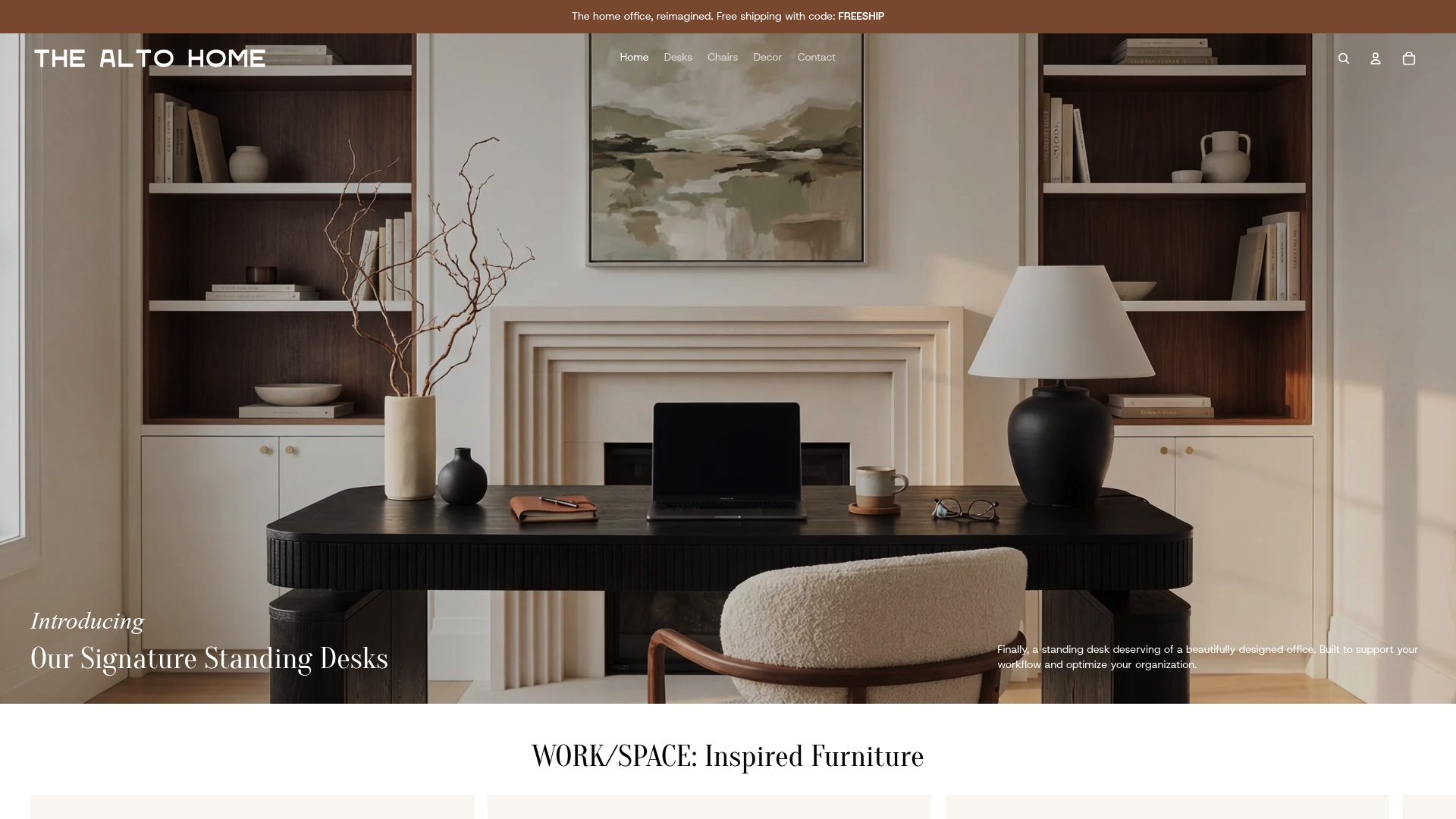
Both desks ship with programmable dual-motor lift systems and finishes that hold up under daily professional use. The Alto Home also offers modern office chairs designed to pair with these desks at the correct ergonomic interface. If you are building a home office that needs to perform and look the part, The Alto Home’s collection is the right place to start.
FAQ
What makes a desk qualify as luxury?
A luxury desk combines solid or veneered hardwood surfaces, silent electric height adjustment, and integrated cable management into a single cohesive design. The quality of materials, motor system, and finish discipline separates luxury desks from premium-priced standard ones.
How much of the workday should I spend standing at my desk?
Standing should comprise 25–40% of the working day for health and concentration. Alternating between sitting and standing every 30–60 minutes delivers the most benefit.
What desk height is correct for seated work?
The correct desk height positions your elbows at 90 degrees with your shoulders relaxed and your forearms parallel to the floor. Most professionals need a sitting height between 27 and 30 inches, but this varies by body height.
Is a veneer desk as good as solid hardwood?
A high-quality veneer desk performs comparably to solid hardwood for surface durability and appearance. Veneer allows for more consistent grain patterns across large surfaces and is less prone to seasonal expansion and contraction.
Why does desk placement affect focus?
Facing into the room with a solid wall behind reduces the subconscious alertness that comes from having an open space at your back. Side natural light prevents screen glare and supports sustained concentration throughout the day.
