

Desk accessories are defined as the ergonomic tools, organizational systems, and functional decor items that directly shape your ability to concentrate and produce quality work. The role of desk accessories in focus is not cosmetic. Monitor risers reduce neck strain by over 50%, and a visible desk plant increases productivity by 15%. For remote workers and home office users, the desk is the entire work environment. Getting it right is not optional.
Which desk accessories most effectively improve focus and why?
Ergonomic accessories address the physical causes of distraction before they reach your brain. When your neck strains forward to read a low monitor, your body sends constant discomfort signals that compete with your work. A monitor riser eliminates that signal. Keyboard trays and laptop stands do the same for wrist and shoulder tension. Removing physical discomfort is the fastest way to extend your focus window.

Organizational tools attack a different problem: visual and cognitive clutter. Visual clutter reduces the ability to focus and process information, confirmed by Princeton University neuroscience research. That finding means every loose cable, stray pen, or random sticky note on your desk is actively consuming brain resources you need for real work.
The three core categories of focus-supporting accessories are:
- Ergonomic tools: Monitor risers, keyboard trays, laptop stands, and wrist rests. These reduce physical fatigue and postural strain that pull attention away from tasks.
- Organizational tools: Cable management clips, desk organizers, drawer inserts, and document trays. These reduce the visual noise that fragments attention.
- Functional decor: A single potted plant, a calming neutral color palette, and quality lighting. These support sustained attention without adding distraction.
Pro Tip: Start with ergonomic accessories before buying any decor. Fixing physical discomfort gives you an immediate, measurable focus gain that no plant or pen holder can match.
The distinction between functional decor and decoration matters. Non-functional desk decorations diminish cognitive capacity by creating neural competition in the visual cortex. A framed photo of your family serves a purpose. A collection of novelty figurines does not. Every item on your desk either supports your work or competes with it.
How does desk organization influence workflow and cognitive load?
An organized desk reduces cognitive load, which is the mental effort required to manage your environment while also doing your job. When your workspace is chaotic, your brain splits its attention between the task and the surrounding disorder. That split is invisible but expensive.
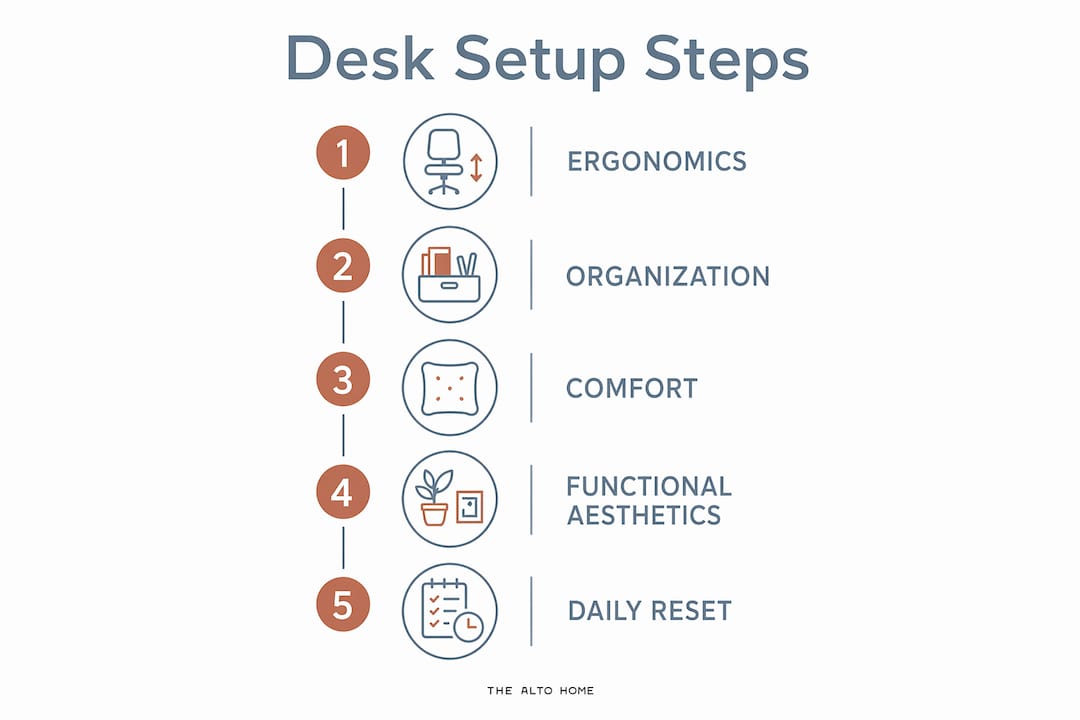
The 3-P Rule gives remote workers a practical framework: Plan your zones, Protect your surface from non-essentials, and Pick only the items you use daily. Applied consistently, this rule keeps your desk from reverting to clutter within a week of organizing it.
A numbered approach to desk organization works better than a general intention to “stay tidy”:
- Define zones. Assign a fixed location for every category of item: writing tools, reference materials, tech accessories, and personal items.
- Limit surface items. Keep 3–7 intentional items in your direct visual field to balance sensory input without causing overload or deprivation.
- Manage cables first. Cable management prevents micro-distractions that cost remote workers up to 23 minutes per interruption. A basic cable management setup costs under $50 and takes about one hour to install.
- Use drawer inserts. Loose items in drawers create a secondary clutter problem. Inserts give every item a home, so retrieval is instant.
- Run a daily reset. A five-minute daily reset that returns items to their zones and processes incoming materials is the core habit that keeps organization from collapsing after the first week.
Pro Tip: Cable management delivers the highest return on investment of any desk organization project. Do it first, before buying any other organizational accessory.
The daily reset is not a cleaning session. It is a boundary. It signals to your brain that the workday is over and the workspace is ready for tomorrow. That psychological signal matters more than most remote workers realize.
What role do functional aesthetics play in enhancing focus?
Functional aesthetics is the intentional design of a workspace to support brain focus through color, materials, and order. It is defined by Bestier’s Aesthetic Productivity framework as distinct from simple decoration, prioritizing the brain’s reward and focus systems over visual appeal alone. The difference is purpose. Every design choice either serves your concentration or competes with it.
The neuroscience behind this is direct. Non-functional accessories create neural competition in the visual cortex, consuming working memory needed for complex tasks. A cluttered desk is not just messy. It is neurologically expensive.
Four principles of functional aesthetics that remote workers can apply immediately:
- Natural materials: Wood surfaces, cork boards, and linen desk pads reduce visual harshness and lower ambient stress.
- Calming color palettes: Soft neutrals, warm whites, and muted greens support sustained attention better than high-contrast or bright colors.
- Quality lighting: A well-positioned desk lamp reduces eye strain and supports your circadian rhythm, which directly affects afternoon focus.
- One plant, placed intentionally: A single plant in your peripheral vision boosts attention without creating a focal point that pulls your eyes away from your screen.
“The best-designed workspaces are not the most decorated. They are the most intentional.” — Tidysetup Workspace Productivity Research
The goal is a desk that feels calm and personal without being busy. That balance is achievable with fewer items than most remote workers currently have on their surfaces.
How to select and arrange desk accessories for maximum productivity
Prioritize in this order: ergonomics first, organization second, comfort and aesthetics third. Buying a beautiful pen holder before fixing your monitor height is a common and costly mistake. Ergonomic problems create physical discomfort that no amount of organization can fix.
Match every accessory to your actual workflow. A document tray is only useful if you regularly handle paper. A second monitor arm only helps if your work requires reference materials. Buy for your real daily tasks, not for an idealized version of your desk.
Open-top or one-handed containers prevent clutter reversion under time pressure. When you are busy, you will not open a lidded box to put something away. You will set it on the surface. Single-step access storage is the difference between an organization system that holds and one that fails within days.
| Accessory type | Primary benefit | Approximate cost | Setup time |
|---|---|---|---|
| Monitor riser | Reduces neck strain by over 50% | $20–$60 | 10 minutes |
| Cable management kit | Eliminates visual clutter, saves up to 23 min per interruption | Under $50 | 1 hour |
| Desk organizer set | Reduces surface clutter, speeds retrieval | $15–$40 | 15 minutes |
| Desk lamp with color temperature control | Reduces eye strain, supports circadian rhythm | $30–$80 | 5 minutes |
| Single desk plant | Boosts productivity by 15% | $10–$30 | 2 minutes |
Vertical storage is underused in most home offices. A monitor riser creates usable under-screen space for a keyboard, notebook, or small organizer. Wall-mounted shelves move reference materials off the surface entirely. Going vertical keeps your primary work zone clear without sacrificing access to what you need.
Pro Tip: Route cables before placing any other accessory. Once cables are managed, you will see exactly how much surface space you actually have, and you will make better decisions about what belongs on it.
What are common pitfalls in desk setup and how to maintain focus daily?
The most common desk organization failure is multi-step storage. If putting something away requires opening a drawer, lifting a lid, and finding a slot, you will not do it when you are busy. The item lands on the surface, and clutter rebuilds within days. Single-step access containers solve this before it starts.
A focused desk surface holds five items: monitor, keyboard, mouse, one notebook, and one pen. Everything else is a candidate for removal or relocation. Most remote workers have two to three times that many items on their surfaces, each one competing for visual attention.
Common pitfalls to avoid:
- Excess decorative items: Non-functional desk decorations deplete working memory through neural competition. Limit decor to items that also serve a function.
- Skipping the daily reset: Without a reset routine, entropy wins. Five minutes at the end of each workday prevents the slow accumulation that makes desks feel unmanageable.
- Ignoring your chair: An ergonomic chair paired with a properly positioned monitor is the foundation of physical comfort. The right office chair supports the same focus goals as every accessory on your desk.
- Buying before auditing: Add nothing to your desk until you have removed everything that does not belong there. Organizing clutter is not the same as eliminating it.
- Distracting items in the visual field: Phones face-up, notification-heavy devices, and personal items that trigger emotional responses all pull attention. Keep them out of your primary visual zone.
Tactile focus activators like a physical notebook or a simple timer help the brain shift into deep work by reducing the mental friction of starting. These are not distractions. They are cues that signal your brain it is time to concentrate.
Key takeaways
Desk accessories improve focus by removing physical discomfort, reducing visual clutter, and creating an environment the brain recognizes as a place for concentrated work.
| Point | Details |
|---|---|
| Ergonomics come first | Fix monitor height and posture before adding any organizational or decorative accessory. |
| Limit your visual field | Keep 3–7 intentional items in direct view to prevent both overload and sensory deprivation. |
| Cable management is high priority | A basic cable setup under $50 eliminates micro-distractions that cost up to 23 minutes each. |
| Use single-step storage | Open-top containers prevent clutter reversion when time pressure is high. |
| Daily reset sustains the system | A five-minute end-of-day reset is the habit that keeps every other organization strategy working. |
Why I think most remote workers set up their desks backwards
Most remote workers buy decor before they fix ergonomics. I have seen it repeatedly. Someone spends an afternoon arranging a beautiful desk with plants, a candle, and a matching pen set, then wonders why they still feel drained by 2 p.m. The answer is almost always a monitor that sits too low and cables that create visual chaos underneath it.
The research on psychological workspace ownership is real and worth taking seriously. A desk that feels personally yours does increase engagement and persistence on hard tasks. But psychological ownership comes from intentional choices, not from accumulation. The remote workers I have observed who sustain the deepest focus have the fewest items on their surfaces, not the most.
My honest recommendation: spend your first hour on cable management, not shopping. Route every cable, label it, and clip it out of sight. Then sit back and look at your desk. That single change will show you more clearly than any article what your workspace actually needs next. Start with what removes friction, not what adds personality. Personality can come later, and it will mean more when the foundation is solid.
— Kevin O’Gara
The Alto Home: desks built for the way remote workers actually work
The right desk is not just a surface. It is the foundation that every accessory, organizer, and ergonomic tool sits on. The Alto Home designs standing desks that make that foundation worth building on.
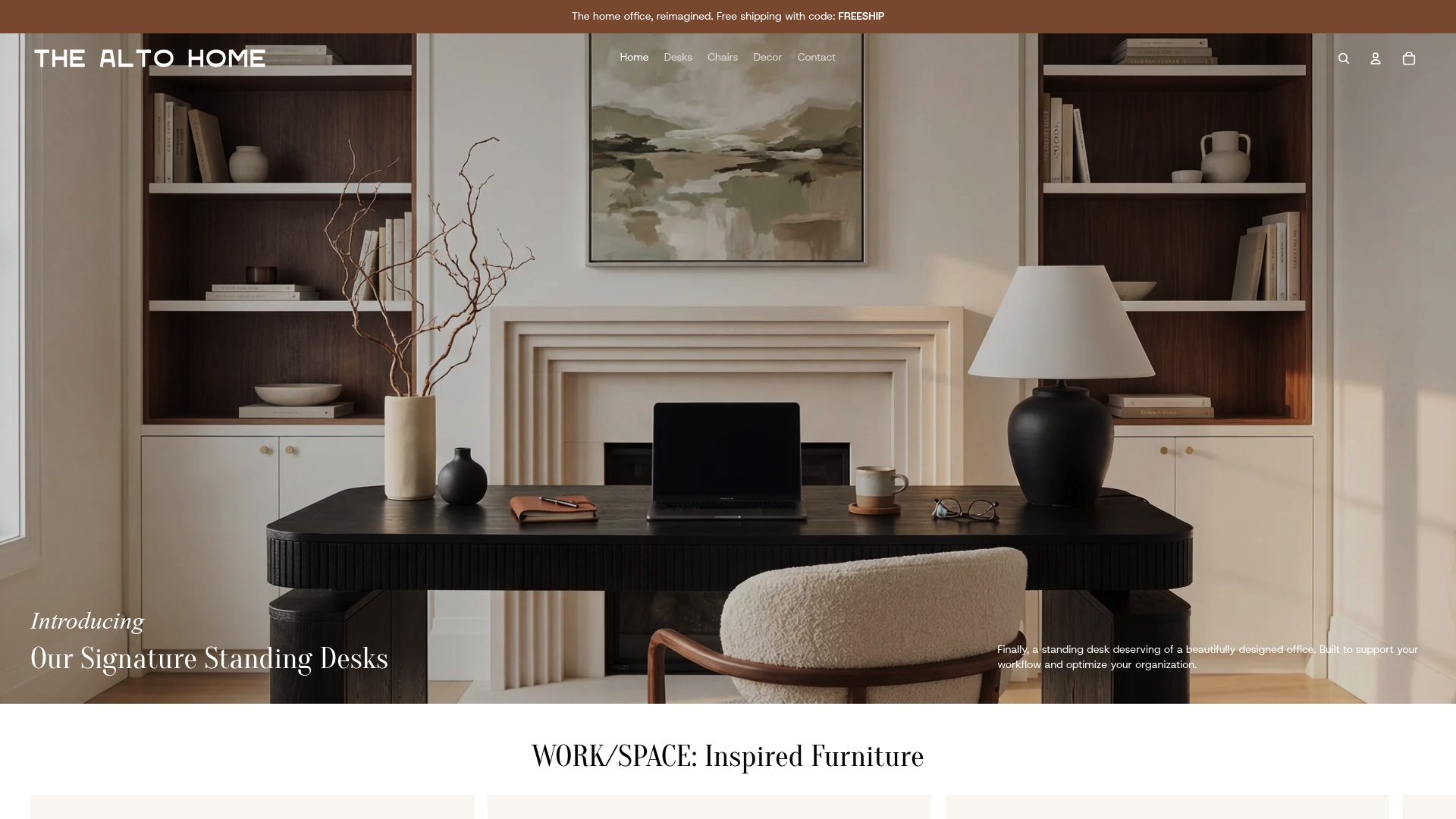
The Greenwich Rotating Wood Standing Desk and the Gramercy Fluted Wood Standing Desk are built from high-quality wood with finishes that support the calming, natural aesthetic that neuroscience links to sustained focus. Both feature adjustable heights, so your monitor, keyboard, and accessories always sit at the right ergonomic position. The Tribeca Mid-Century Wood Standing Desk offers the same functional design in a mid-century profile that fits naturally into home interiors. Browse the full home office furniture collection to find the desk that matches your workflow and your space.
FAQ
What is the role of desk accessories in focus?
Desk accessories improve focus by reducing physical discomfort, eliminating visual clutter, and creating an organized environment that supports sustained attention. Ergonomic tools like monitor risers and organizational systems like cable management kits address the two primary causes of distraction at a desk.
How many items should be on my desk for optimal focus?
Keep 3–7 items in your direct visual field to balance sensory input without causing overload. Fewer than three items can cause sensory deprivation, while more than seven creates visual competition that fragments attention.
Does cable management really improve productivity?
Yes. Micro-distractions cost remote workers up to 23 minutes per interruption, and visible cable clutter is a consistent source of those interruptions. A basic cable management setup costs under $50 and takes about one hour to install.
What is functional aesthetics in a workspace?
Functional aesthetics is the intentional design of a workspace using color, materials, and order to support brain focus, not just visual appeal. It prioritizes items that serve a cognitive or ergonomic purpose over items that are purely decorative.
How do I maintain desk organization long term?
Run a five-minute daily reset at the end of each workday, returning every item to its assigned zone and clearing incoming materials. This single habit prevents the gradual clutter buildup that collapses most desk organization systems within weeks.
