

A durable office desk is defined by its material grade, frame construction, and ability to withstand daily commercial use without structural failure. Office managers who choose durable office desks for business based on these three criteria consistently report fewer replacements and lower total furniture costs over time. The industry term for this evaluation framework is “total cost of ownership,” and it applies directly to furniture procurement. This guide covers materials, stability engineering, sizing, and maintenance so you can make a purchasing decision that holds up for years, not months.
What materials provide the best durability for business desks?
Material selection is the single most consequential decision in any office desk purchase. The wrong surface degrades within two years under heavy daily use. The right one lasts a decade with minimal care.
Solid wood desks offer a premium, long-lasting aesthetic but require high maintenance to prevent dents and water damage. That maintenance burden makes solid wood a poor fit for high-traffic workstations unless your team commits to a regular care schedule. High-pressure laminate and powder-coated MDF, by contrast, provide superior resistance to wear at a lower cost, making them the practical default for most business environments.

Wood veneer desks deliver a premium look with real durability and appear frequently in executive offices where aesthetics and practicality must coexist. Veneer gives you the visual warmth of solid wood without the full maintenance obligation. For shared workstations or open-plan offices, laminate surfaces offer the best balance of affordability, durability, and easy maintenance. They resist scratches, clean quickly, and hold their appearance under daily abuse.
The finish type on any surface also affects long-term durability. Matte and satin finishes hide minor scuffs better than high-gloss options. If you want a deeper look at how finish choices affect desk longevity, The Alto Home’s wood finish guide breaks down each option with practical trade-offs.
| Material | Durability | Maintenance | Best Use |
|---|---|---|---|
| Solid wood | High | High | Executive offices |
| Wood veneer | High | Medium | Executive and conference rooms |
| High-pressure laminate | Very high | Low | Open-plan and shared desks |
| Powder-coated MDF | High | Low | Budget-conscious business setups |
| Glass | Medium | High | Reception and design-focused spaces |
Pro Tip: Avoid glass surfaces for primary workstations. They show fingerprints constantly, scratch under metal objects, and require daily cleaning to look professional.
What engineering features determine a desk’s stability and reliability?
Frame construction determines whether a desk stays stable for five years or starts wobbling within eighteen months. Material choice matters less than how the frame is built.
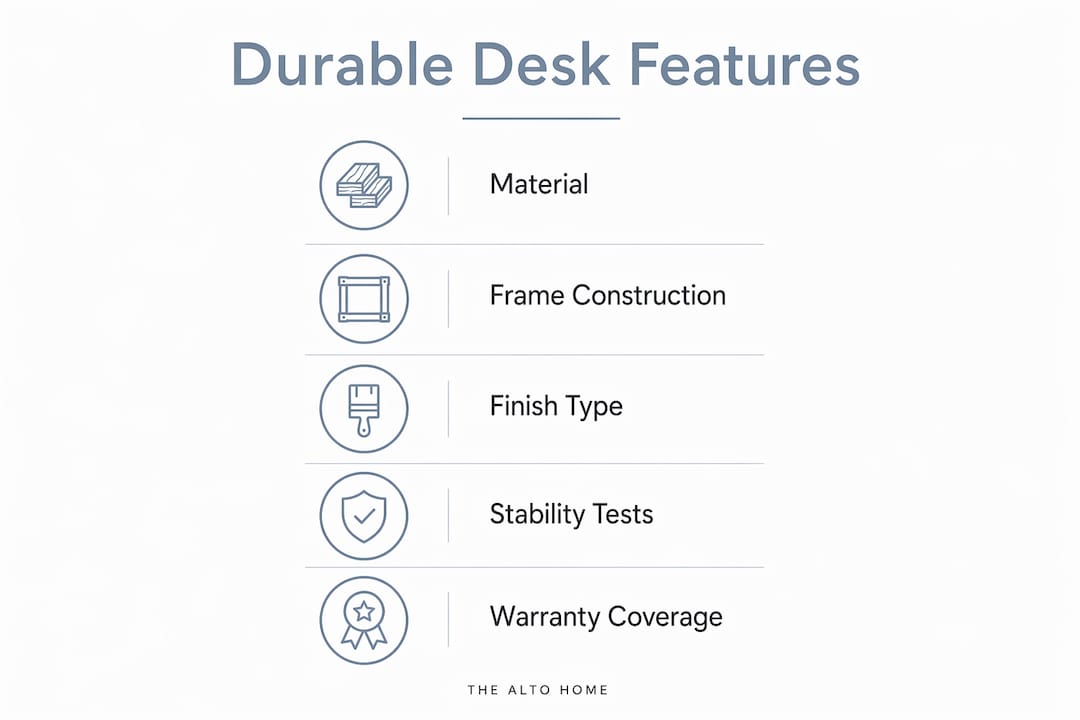
Permanent welded frame connections and quality foot design significantly reduce wobble in standing desks. Bolt-together assemblies are less stable and prone to wear over time. That distinction matters most for height-adjustable desks, where the frame cycles through thousands of position changes over its lifespan.
Top-tier standing desks priced at $1,000 or more use thicker steel frames and cross-support designs to achieve superior stability, with wobble scores less than half of cheaper models. That gap in wobble performance translates directly into user comfort and equipment safety. A monitor, laptop, and external keyboard sitting on an unstable surface create real productivity losses throughout the workday.
Stability is more influenced by frame design elements like crossbars, permanent welds, and quality glides than by the desk’s weight. Properly engineered frames minimize wobble, especially at higher standing heights.
Key engineering features to verify before purchasing any business desk:
- Frame material thickness: Steel frames should use at least 14-gauge steel for commercial-grade stability.
- Cross-support design: Horizontal crossbars between legs reduce lateral sway significantly.
- Weld quality: Look for continuous welds at all joints, not spot welds or bolt connections.
- Foot glides: Adjustable glides compensate for uneven floors and prevent rocking.
- Motor quality (for electric desks): Dual-motor systems outperform single-motor designs under load.
- Lift capacity: Verify the rated weight limit covers your full monitor and equipment setup.
Pro Tip: Ask the supplier for the desk’s wobble test results at maximum height. Reputable manufacturers publish this data. If a vendor cannot provide it, treat that as a red flag.
How do you choose the right desk size and configuration for your office?
Desk size and configuration affect both individual productivity and overall office flow. Getting this wrong means either cramped workstations or wasted square footage.
A desk’s size and configuration must align with office space and employee tasks. A developer running three monitors needs a surface depth of at least 30 inches. An administrative assistant handling paperwork and a single laptop can work comfortably at 24 inches. Matching surface area to actual task requirements prevents the common mistake of buying uniform desks for a non-uniform workforce.
Modular desks with standardized frames offer flexibility and ease of future reconfiguration. Office design consultants recommend modular office furniture for businesses that need to stay flexible as team sizes and work patterns shift. A modular system lets you add, remove, or rearrange workstations without buying entirely new furniture.
Common desk configurations and their practical trade-offs:
- Straight desks: The most space-efficient option. Work well in rows for open-plan layouts. Limited surface area for multi-monitor setups.
- L-shaped desks: Maximize surface area without increasing footprint significantly. Ideal for managers who need both a computer station and a writing surface.
- Standing desks (height-adjustable): Support both seated and standing work. Require more vertical clearance and a slightly larger footprint for the motor column.
- Benching systems: Shared surfaces for two to six people. Reduce per-person cost and square footage. Best for collaborative teams with minimal personal storage needs.
| Desk type | Space efficiency | Best for | Flexibility |
|---|---|---|---|
| Straight desk | High | Open-plan rows | Low |
| L-shaped desk | Medium | Managers, power users | Medium |
| Height-adjustable | Medium | Ergonomic-focused offices | High |
| Benching system | Very high | Collaborative teams | High |
What maintenance and warranty factors protect your desk investment?
Maintenance and warranty terms are the two most overlooked factors in any office desk buying guide. Both directly affect how long a desk performs and what it costs to keep it functional.
Routine maintenance such as cleaning, polishing, and avoiding harsh impacts significantly prolongs the life and appearance of solid wood office desks. For laminate and MDF surfaces, a damp microfiber cloth handles most cleaning without damaging the finish. The key rule across all materials: never use abrasive cleaners or leave standing liquid on any surface.
Contract-grade office furniture often includes warranties covering motors and electronics, the common failure points in adjustable desks. A warranty that covers only the frame but excludes the motor is effectively half a warranty on a height-adjustable desk. Ask specifically what the warranty covers and for how long before signing any purchase order.
Higher upfront costs for contract-grade desks are offset by longer lifespan and lower replacement frequency, making them more economical for business use over time. A $400 desk replaced every three years costs more than a $900 desk that lasts ten. That math is straightforward, but it gets ignored regularly when procurement decisions focus on line-item cost rather than total value.
Maintenance practices that extend desk life across all material types:
- Wipe surfaces daily with a dry or slightly damp cloth.
- Use desk pads or mats under keyboards and monitors to prevent surface wear.
- Tighten frame bolts quarterly on bolt-together assemblies.
- Lubricate electric motor columns annually per manufacturer guidance.
- Inspect cable management systems every six months to prevent strain on electrical components.
Pro Tip: Request professional installation for height-adjustable desks. Improper assembly is the leading cause of early motor failure and frame instability in adjustable workstations.
Key takeaways
Durable office desks require the right combination of material grade, welded frame construction, correct sizing, and proactive maintenance to deliver long-term value for business environments.
| Point | Details |
|---|---|
| Material drives durability | High-pressure laminate and powder-coated MDF outperform solid wood for daily commercial use. |
| Frame construction matters most | Welded frames with crossbars and quality glides reduce wobble far more than desk weight alone. |
| Size must match the task | Match surface depth and width to actual employee workflows, not a one-size standard. |
| Modular systems protect flexibility | Standardized modular frames let you reconfigure workstations without replacing entire desks. |
| Total cost beats upfront price | Contract-grade desks with full warranties cost less over ten years than budget replacements every three. |
Why I stopped recommending the cheapest desk that fits the budget
The most common mistake I see office managers make is treating desk procurement like a commodity purchase. They set a per-unit budget, find the lowest price that clears it, and move on. Three years later, they are dealing with wobbly frames, dead motors, and delaminating surfaces across the entire floor.
The desks that fail fastest almost always share two traits: bolt-together frames and no motor warranty. Both are easy to spot before purchase if you know what to ask. The wobble data and warranty terms are available from any reputable supplier. The problem is that most buyers never ask for them.
Modular design is the other factor that gets undervalued at the point of purchase. A business that buys fixed, non-modular desks is locking in a specific headcount and layout. When the team grows by 30% or shifts to a hybrid schedule, those desks become an obstacle rather than an asset. Modular systems with standardized frames cost slightly more upfront and pay back that difference the first time you reconfigure the floor without buying new furniture.
My honest recommendation: spend more on the frame than the surface. A welded steel frame with a quality motor will outlast three rounds of laminate resurfacing. The Alto Home’s approach of pairing premium wood surfaces with engineered standing desk frames reflects exactly this priority. You get the aesthetic without sacrificing the structural integrity that makes a desk worth owning for a decade.
— Kevin O’Gara
The Alto Home’s standing desks built for long-term business use
Office managers who want long-lasting office furniture without choosing between durability and design have a clear option in The Alto Home’s standing desk collection.

The Greenwich Rotating Wood Standing Desk pairs premium wood construction with an adjustable height frame, making it a practical fit for executive offices and private workstations that need to perform daily for years. The Gramercy Fluted Wood Standing Desk and Tribeca Mid-Century Wood Standing Desk bring the same build quality to offices where design and function carry equal weight. For teams building out a full ergonomic setup, The Alto Home’s adjustable standing desk collection covers a range of configurations suited to modern business workspaces.
FAQ
What materials are best for long-lasting office desks?
High-pressure laminate and powder-coated MDF offer the best durability for daily business use. Solid wood and wood veneer work well in executive settings where maintenance is manageable.
How do I evaluate a standing desk’s stability before buying?
Request the manufacturer’s wobble test data at maximum height. Desks with welded frames and crossbar supports consistently outperform bolt-together models on stability metrics.
What does a good office desk warranty cover?
A complete warranty covers both the frame and electronic components, including the motor. Motor failure is the most common point of breakdown in height-adjustable desks, so any warranty that excludes it is incomplete.
How does desk size affect office productivity?
Surface area that matches the employee’s actual task requirements reduces clutter and physical strain. Developers and designers typically need at least 30 inches of depth, while single-monitor users work well at 24 inches.
Is modular office furniture worth the extra cost for small businesses?
Modular desks with standardized frames allow reconfiguration without full replacement. For small businesses expecting growth or layout changes, that flexibility reduces long-term furniture costs significantly.
