

Standing desk ROI is the quantifiable return you gain from investing in height-adjustable, ergonomic desks, measured through productivity increases, reduced healthcare costs, and lower absenteeism. The concept draws from standard cost-benefit analysis but applies it to a specific workplace decision that affects both your budget and your team’s physical health. Research shows 10–20% productivity gains linked to sit-stand desk use. That figure alone reframes the purchase from a furniture expense into a performance investment. Understanding how to calculate and interpret that return is what separates a well-justified ergonomic upgrade from an expensive piece of office furniture that collects dust.
What key cost factors influence standing desk ROI?
The purchase price of a sit-stand desk is only the starting point of your standing desk investment analysis. Total cost of ownership includes several line items that managers routinely underestimate, and those gaps distort the ROI calculation before it even begins.
The most commonly overlooked expenses fall into three categories:
- Anti-fatigue mats. Standing on hard floors without cushioning causes foot and leg fatigue within an hour. A quality mat runs $50–$150 per workstation.
- Monitor arms. A fixed monitor position defeats the purpose of height adjustment. Monitor arms cost $30–$200 each and are non-negotiable for proper ergonomics.
- Cable management trays. Loose cables create hazards and frustration. Trays and clips add $20–$60 per desk but protect the setup long term.
- Installation and training time. Assembly and employee orientation carry a real labor cost, even if it is internal.
Setup extras increase total ownership cost significantly and affect the ROI calculation. A desk priced at $600 can realistically cost $900 or more once the full workstation is equipped. Skipping these accessories does not save money. It increases the chance that workers abandon the desk entirely, which destroys ROI faster than any upfront cost.
Durability is the other cost variable that rarely appears in initial budgets. A desk that wobbles under a dual-monitor setup will get pushed aside within weeks. Loaded stability at user-specific heights is critical. Unstable desks lead to abandonment and lost ROI. A higher-quality desk with a solid frame costs more upfront but delivers a longer usable life, spreading the investment across more productive years.
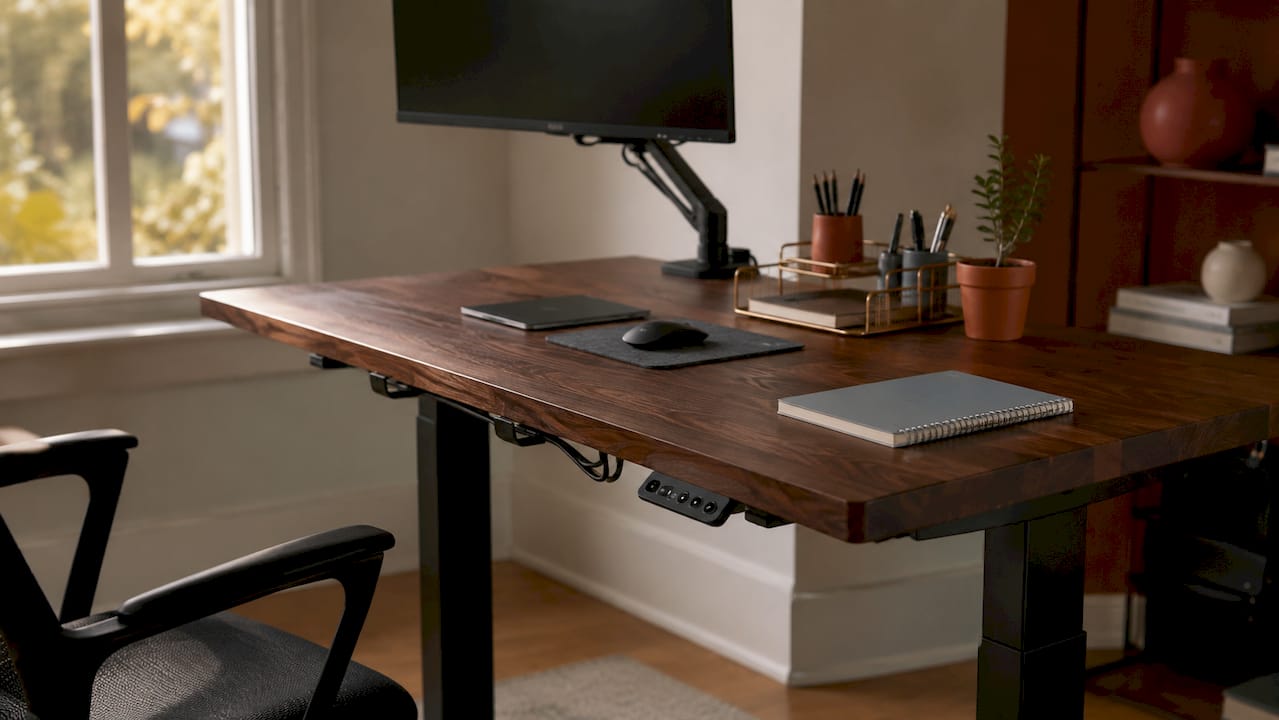
Pro Tip: Before committing to any desk model, load it with your actual monitor setup and test stability at both sitting and standing heights. A desk that wobbles at 45 inches will not be used at 45 inches.
How do standing desks contribute to productivity and health improvements?
The financial benefits of standing desks flow from two channels: direct productivity gains and indirect savings from better health outcomes. Both are measurable, and both belong in any serious ROI calculation.
On the productivity side, position variation is the mechanism that matters. Sitting in one posture for hours reduces blood flow and increases mental fatigue. Alternating between sitting and standing interrupts that pattern. Employees using sit-stand desks experience up to 20% productivity increases due to this position variation reducing fatigue. A 10% productivity gain on a $60,000 annual salary represents $6,000 in recovered output per employee per year.
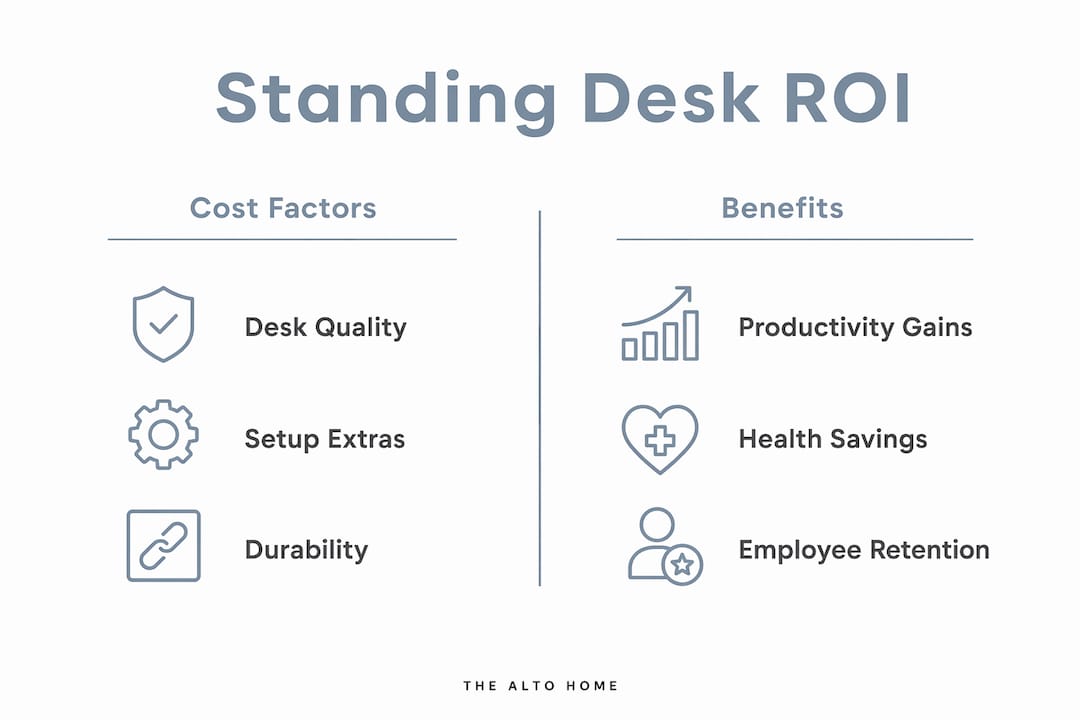
The health benefits are equally concrete. Standing desks reduce sitting time by approximately 1 hour and 15 minutes daily, producing clinically meaningful reductions in neck pain, back pain, and fatigue. Separately, back pain improves by about 54% when sitting time drops by one hour daily. Fewer pain complaints translate directly into fewer sick days and lower healthcare utilization.
Key health and productivity outcomes supported by research include:
- Reduced musculoskeletal complaints, particularly lower back and neck pain
- Lower reported fatigue during afternoon work hours
- Improved mood and engagement, which affects collaboration quality
- Decreased absenteeism from chronic sedentary-related conditions
One misconception deserves direct correction. Standing desks do not significantly increase calorie burn and are not effective as weight-loss tools on their own. The benefits come from postural variety and reduced sedentary time, not from standing still for long stretches.
“Standing desks’ health benefits stem mainly from postural variety and reduced sedentary time, not from standing all day.” — Verywell Health
This distinction matters for ROI framing. You are not buying a fitness device. You are buying a tool that reduces the physical cost of knowledge work, and that reduction shows up in output quality and attendance records.
How to calculate and interpret standing desk ROI effectively
ROI in this context follows the same formula used in any capital investment: net benefit divided by total cost, expressed as a percentage. The challenge is assigning dollar values to health and productivity outcomes that are real but not always tracked.
A practical calculation works in four steps:
- Calculate total cost per workstation. Add desk price, accessories (mat, monitor arm, cable management), installation labor, and any training time. Use actual quotes, not catalog prices.
- Estimate productivity gain value. Apply a conservative productivity increase percentage to the employee’s annual salary. Research supports a 10% figure as a floor estimate. Multiply by the number of desks.
- Estimate health cost savings. Use your company’s average cost per sick day and estimate how many days per employee per year might be avoided. Even one avoided sick day per quarter per employee adds up across a team.
- Calculate ROI. Subtract total cost from total estimated annual benefit. Divide by total cost. Multiply by 100 for the percentage.
| Factor | Increases ROI | Decreases ROI |
|---|---|---|
| Desk quality and stability | High-quality frame, long lifespan | Cheap frame, early abandonment |
| Accessory completeness | Full setup encourages daily use | Missing mat or arm reduces use |
| Employee engagement | Personalized reminders, training | No guidance, passive rollout |
| Wellness integration | Paired with movement programs | Desk purchased in isolation |
| Usage consistency | Regular sit-stand cycling | Desk locked in one position |
Lack of movement encouragement leads to underutilization and poor ROI. This is the variable most managers overlook. A desk that sits in the standing position all day, or never leaves the sitting position, delivers none of the documented benefits. Usage behavior drives the return, not the hardware alone.
Pro Tip: Pair your desk rollout with a simple movement reminder app or calendar block system. Workers who receive structured prompts to alternate positions use their desks more consistently and report better outcomes within the first 30 days.
What practical challenges affect standing desk ROI and how to maximize it?
The gap between theoretical ROI and real-world results comes down to implementation quality. Most standing desk programs underperform not because the desks are wrong but because the rollout ignores human behavior.
The most common pitfalls include:
- Passive deployment. Delivering desks without training or guidance results in workers who default to one position and never change it.
- Poor ergonomic setup. A monitor at the wrong height causes neck strain whether the worker is sitting or standing. The desk height adjustment means nothing if the screen position is not recalibrated.
- No follow-up. Engagement drops sharply after the first two weeks without reinforcement. Context-aware and personalized interventions yield better health and productivity balance than generic rollouts.
- Skipped accessories. Workers who stand on hard floors without a mat report discomfort within days and stop using the standing function.
Ergonomic setup is not optional. Monitor height should place the top of the screen at or just below eye level. Keyboard position should allow the elbows to rest at roughly 90 degrees. These adjustments take five minutes per workstation and prevent the most common complaints that lead to desk abandonment.
Integrating ergonomic workspace design into a broader wellness culture produces the strongest long-term results. Workers who see the desk as part of a supported health initiative use it more consistently than those who see it as a piece of furniture. The difference in usage rates directly affects the ROI you actually realize versus the ROI you projected.
Pro Tip: Schedule a 15-minute ergonomic check-in for each employee two weeks after desk installation. Adjust monitor arms, confirm mat placement, and ask about comfort. This single touchpoint dramatically reduces early abandonment.
Key Takeaways
Standing desk ROI is real and measurable, but it depends on complete setup, consistent usage, and integration with a broader wellness approach.
| Point | Details |
|---|---|
| Total cost includes accessories | Budget for mats, monitor arms, and cable management alongside the desk price. |
| Productivity gains are documented | Research supports 10–20% productivity increases from regular position variation. |
| Health savings are quantifiable | Reduced back pain and fewer sick days translate into direct financial returns. |
| Usage behavior drives results | A desk used in one position delivers none of the documented benefits. |
| Wellness integration multiplies ROI | Pairing desks with movement reminders and ergonomic training produces the strongest outcomes. |
What I’ve learned from watching standing desk programs succeed and fail
I have reviewed enough workplace ergonomic rollouts to spot the pattern immediately. The programs that deliver real returns share one trait: they treat the desk as a system, not a product. The programs that fail treat it as a purchase order.
The number that surprises most managers is not the productivity gain. It is the abandonment rate when accessories are skipped. A worker who stands on a hard floor for two days and develops foot pain will not try again. That desk becomes a $700 coat rack. The ROI calculation at that point is deeply negative, and no one tracks it that way because the failure is invisible.
The other thing I have seen consistently is that the ROI conversation changes when you frame it around salary recovery rather than healthcare savings. Healthcare savings are real but slow to materialize and hard to attribute. A 10% productivity gain on a $70,000 salary is $7,000 per year, per person. That number lands differently in a budget meeting. It also closes the conversation faster.
My honest advice: do not buy the cheapest desk you can find and call it an ergonomic investment. Stability, adjustability range, and surface quality all affect whether workers actually use the desk daily. A desk that earns daily use pays for itself. One that does not is a sunk cost with a wellness label on it.
— Kevin O’Gara
The Alto Home’s standing desks are built for real, daily ROI
The research is clear: desk quality, stability, and design directly affect whether workers use their sit-stand setup consistently. The Alto Home builds height-adjustable standing desks that hold up to daily use without sacrificing the aesthetic quality that makes a home office worth working in.
The Gramercy and Tribeca series are crafted from high-quality wood with distinct finishes that fit naturally into professional home office environments. The Greenwich Rotating Wood Standing Desk adds ergonomic flexibility with a rotating surface, making it one of the most practical options for workers who need to reconfigure their setup throughout the day. Every desk in The Alto Home’s collection is designed to be used, not admired from across the room. That commitment to functional design is exactly what turns a standing desk purchase into a standing desk return.
FAQ
What is standing desk ROI?
Standing desk ROI is the financial return from investing in height-adjustable desks, calculated by comparing total ownership costs against productivity gains and healthcare savings. Research supports 10–20% productivity increases as a baseline for this calculation.
Does a standing desk improve focus?
Yes. Position variation from alternating sitting and standing reduces physical fatigue, which supports sustained mental focus. Studies show meaningful reductions in fatigue during afternoon work hours among sit-stand desk users.
How do I calculate desk ROI for my team?
Add total workstation costs (desk, accessories, installation), then estimate annual benefits using a conservative productivity gain percentage applied to employee salaries plus avoided sick-day costs. Divide net benefit by total cost and multiply by 100.
What is the biggest risk to standing desk ROI?
Underutilization is the primary risk. Workers who do not receive ergonomic training, movement reminders, or a complete workstation setup abandon the standing function quickly, eliminating the health and productivity benefits that justify the investment.
Are standing desks worth it for home office workers?
Yes, when the full setup is complete and usage is consistent. Reduced sitting time of roughly 1 hour and 15 minutes daily produces clinically meaningful reductions in back pain and fatigue, which directly supports sustained productivity in a home office environment.
