

What does standing desk weight capacity actually mean?
Standing desk weight capacity is the maximum load a height-adjustable desk can safely support and raise. Every desk has two distinct ratings: static capacity, which is the weight it can hold while stationary, and dynamic capacity, which is the lower load its motor can reliably lift. Dynamic capacity runs 20–30% below static capacity because motors work harder during movement than at rest.
Why does this matter for your setup? Exceed the dynamic limit and you accelerate motor wear, increase wobble at standing height, and risk voiding your warranty. Knowing both numbers before you load a desk is the single most practical step you can take.
Key facts to keep in mind:
- Static capacity covers the desk at rest, measured under evenly distributed, ideal conditions
- Dynamic capacity is the number that governs daily use, since the desk lifts and lowers repeatedly
- Electric standing desks typically carry 150–300 lb static; pneumatic models sit much lower, around 30–50 lb
- UPLIFT Desks and other premium electric frames with steel construction and dual motors sit at the high end of that range
- Desk stability depends heavily on frame geometry and leg design, not just the motor’s rated capacity
How your desktop and gear eat into available capacity
Heavy desktop materials consume a meaningful share of total capacity before a single monitor goes on the surface. A thick solid wood top can weigh a significant amount on its own, which quietly shrinks the margin left for your tech.
Common gear weights vary: a 27-inch 4K monitor is relatively light, large ultrawides weigh more, monitor arms add some load, laptops and docks contribute modestly, and desktop towers can add substantial weight if placed on the surface. Accessories and peripherals contribute additional load.
Placement matters as much as total weight. Torque equals weight multiplied by distance from the support column, so a monitor arm cantilevered toward the rear edge creates far more stress than the same weight centered over the frame. Keep heavy items close to the legs whenever possible.
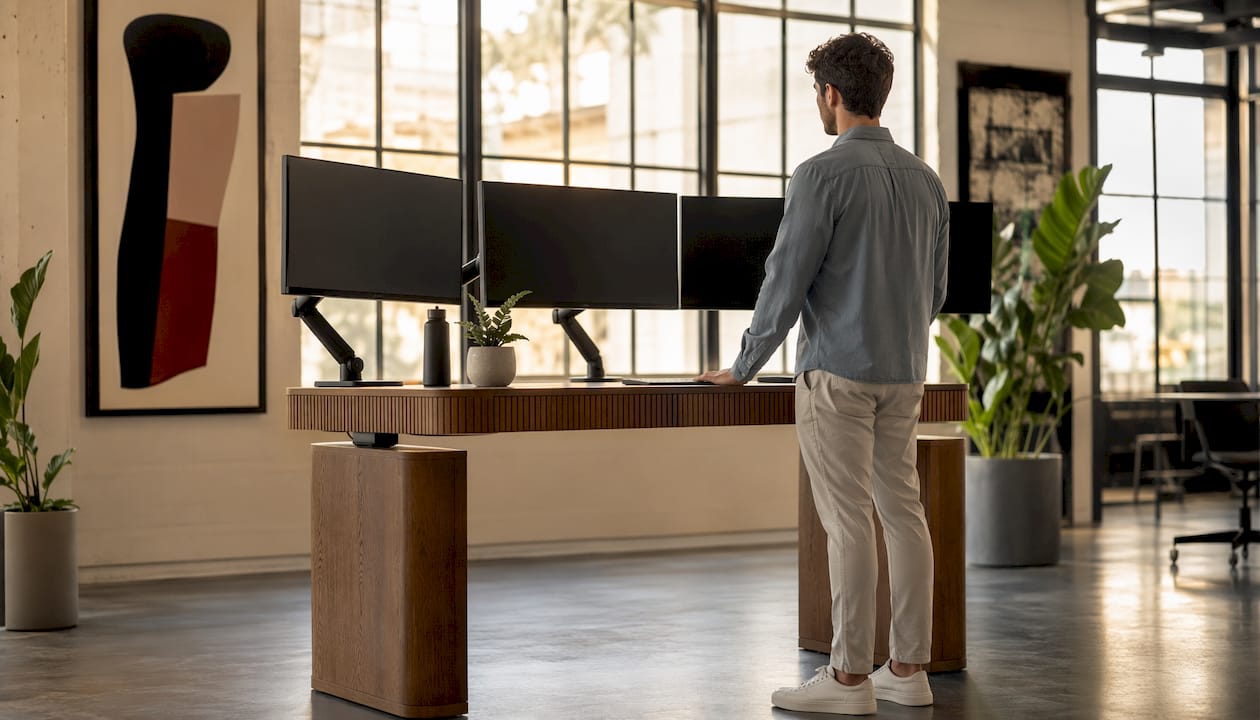
Pro Tip: When choosing between a beautiful solid wood top and a thinner laminate surface, factor in the top’s weight before calculating your equipment load. A stunning fluted wood desk can absolutely carry a full home office setup, as long as you account for the top’s own weight in your total load calculation.
What industry standards say about desk load ratings
The ANSI/BIFMA X5.5 standard is the primary benchmark US buyers should look for when evaluating a standing desk’s load claims. BIFMA, the Business and Institutional Furniture Manufacturers Association, develops voluntary standards that verify ergonomic furniture durability and structural integrity.
The testing is genuinely demanding. The top load ease cycle test applies a 91 kg (about 200 lb) load bag through 10,000 cycles. The stability test adds a 34 kg load pad at the desk’s edge. For height-adjustable desks specifically, the vertical adjustment test runs 5,010 cycles with load distributed across the surface in a pattern that mimics real-world uneven use.
Standard spotlight: ANSI/BIFMA X5.5 height-adjustment testing runs 5,010 cycles with a load applied unevenly across the surface, including weight at a front corner, to simulate actual daily use rather than ideal lab conditions.
What this means for buyers:
- A desk with documented BIFMA certification has been tested under conditions that approximate real use, not just a single clean lift
- Certification verifies both static and dynamic load claims, not just the headline number
- Desks without any referenced standard give you no independent verification of their capacity figures
Common misconceptions about standing desk weight limits
The biggest myth is that a higher capacity number automatically means a more stable desk. Frame geometry, column stiffness, and base width drive stability far more than the motor’s rated maximum. Two desks with identical capacity ratings can feel completely different at standing height.
A second common mistake is treating the static rating as the working limit. Most desk capacities are lifting capacities, and the static number is simply higher because the motor isn’t involved. Use the dynamic rating as your reference point for daily load planning.
Practical tips to stay within safe limits:
- Total every item on your surface: monitors, arms, dock, keyboard, speakers, and accessories
- Add a 20% buffer to that subtotal to account for uneven loads and cable drag
- Maintain loads at 33%–50% of rated capacity to extend motor life and reduce wobble over time
- Check whether the listed capacity includes the desktop or just the frame, since a heavy top can consume a large portion of the rating before equipment is added
- Review the warranty terms: some manufacturers void claims when failure occurs under heavy load
For a complete picture of ergonomic home office setup, load distribution is just one piece alongside height range, monitor placement, and desk depth.
Static vs. dynamic capacity: the difference that drives desk longevity
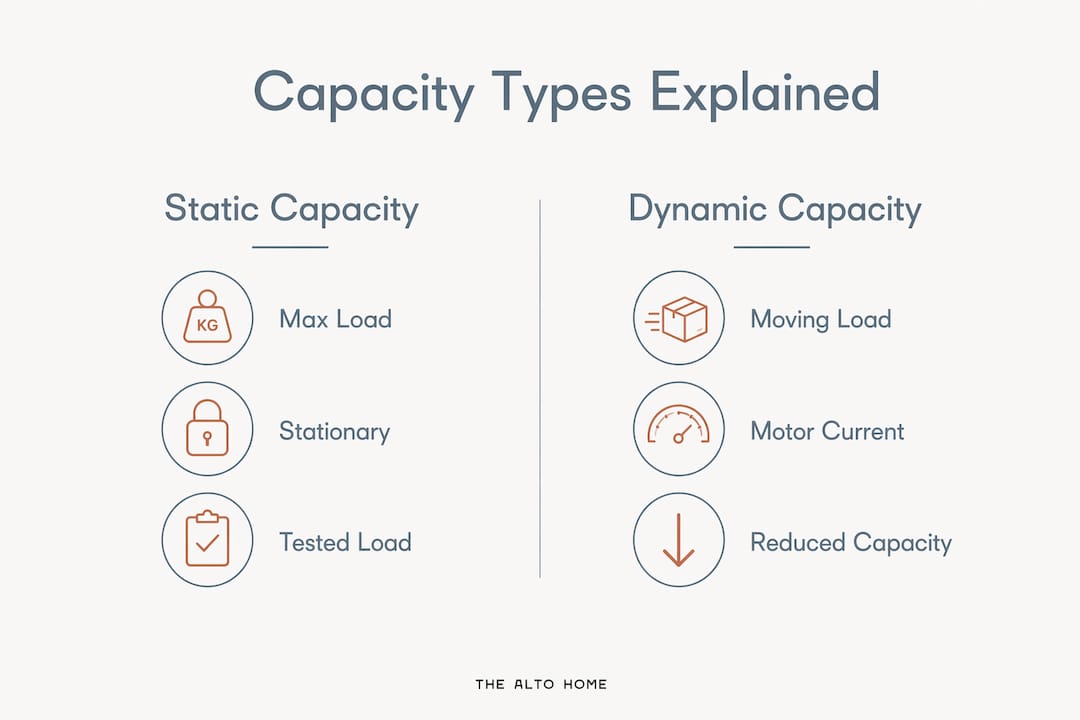
Static capacity is the weight a desk can hold while stationary, tested under evenly distributed, controlled conditions. Dynamic capacity is what the motor can raise and lower reliably through thousands of cycles. The gap between them is where most buyers get tripped up.
Dynamic capacity typically runs 20–30% below static because motors draw more current and generate more heat during movement. A desk with a certain static rating may have a dynamic limit notably lower by a significant margin. Run it near that ceiling daily and motor wear accelerates noticeably by years five through ten.
| Capacity Type | What It Measures | Practical Implication |
|---|---|---|
| Static | Maximum stationary load at rest | Higher number; not the daily working limit |
| Dynamic | Maximum load the motor can lift reliably | Lower number; governs real-world use |
| Recommended working load | 33%–50% of rated capacity | Extends motor life and reduces wobble |
What “maximum weight” really means on a spec sheet
Maximum weight on a standing desk spec sheet refers to the total load the lifting system is designed to raise under controlled test conditions. That number may or may not include the desktop itself, and manufacturers are not always consistent about disclosing which. A 300 lb frame rating leaves less than 300 lb for your equipment once a solid wood top is installed.
Published ratings also assume cleaner conditions than daily use. Real setups create uneven load from monitor arms pulling rearward, accessories shifted to one side, and repeated height changes adding cumulative stress. Treat the published maximum as a ceiling, not a target. For guidance on selecting durable desk materials that balance weight and longevity, frame construction and top thickness both factor into the real-world load equation.
What capacity range do most home office setups actually need?
Most home setups weigh 50–80 lb, which means a desk rated at 250–355 lb provides a comfortable 2–3x buffer for the vast majority of buyers. That buffer matters because it keeps the motor well below its strain threshold and keeps wobble minimal at standing height.
Heavier setups need more headroom. A desktop tower on the surface, three monitors on heavy arms, and a full broadcasting rig can push 150–200 lb, where 355 lb capacity becomes genuinely necessary rather than generous. For most home offices, chasing ratings above 355 lb delivers no practical benefit. The weight capacity figures are often over-marketed; the engineering margin above 355 lb serves workshop and commercial use cases, not a dual-monitor home desk.
The Tribeca Mid-Century standing desk and the Greenwich Rotating desk from The Alto Home are built with structural support sized for real home office loads, where the combination of a quality wood top and a standard monitor setup sits well within a safe working margin. Proper furniture assembly also plays a role: a correctly assembled frame distributes load evenly across all four contact points, which matters more than the spec sheet suggests.
Key Takeaways
Standing desk weight capacity has two distinct ratings, and the dynamic (lifting) number is the one that governs safe daily use and long-term motor health.
| Point | Details |
|---|---|
| Dynamic capacity is lower | Dynamic capacity runs 20–30% below static; use it as your real-world working limit. |
| Buffer your actual load | Add a 20% buffer to your total equipment weight before comparing it to the desk’s dynamic rating. |
| Keep heavy items close to the frame | Placing monitors and gear near support columns reduces torque and wobble during height changes. |
| Most home setups need 250–355 lb | Most home setups weigh 50–80 lb, so a 250–355 lb rated desk provides a comfortable 2–3x buffer for the vast majority of buyers. |
| BIFMA certification matters | ANSI/BIFMA X5.5 testing runs 10,000 load cycles, giving independent verification of capacity claims. |
