

Natural light in a home office is defined as the primary environmental factor that regulates your circadian rhythm, sharpens focus, and reduces the physical strain that kills productivity over a long workday. The role of natural light in a home office goes far beyond aesthetics. Research confirms it cuts eyestrain by 51%, headaches by 63%, and drowsiness by 56% compared to working under artificial light alone. Workers with good daylight access also sleep 46 more minutes per night, which means they show up sharper the next morning. This guide covers the biology behind those gains, the best desk and window configurations to capture them, and how to layer artificial lighting when the sun does not cooperate.
What are the biological effects of natural light on home office workers?
Natural light triggers serotonin production in the brain. Serotonin is the neurotransmitter most directly tied to mood stability and sustained attention. When your eyes receive bright, full-spectrum light, your brain reads it as a signal to stay alert and engaged. That is why a well-lit workspace feels energizing while a dim room makes focus feel like a chore.
The mechanism runs deeper than mood. Your retinas contain specialized cells called melanopsin-containing retinal ganglion cells. These cells do not process images. They measure light intensity and send timing signals directly to your brain’s master clock, the suprachiasmatic nucleus. That clock controls your sleep-wake cycle, hormone release, and body temperature. Consistent daylight exposure keeps this clock calibrated. Disrupted exposure, common in windowless home offices, throws it off and degrades both sleep and next-day alertness.
Research finding: At least 1.5–2 hours of direct or quality indirect sunlight per day effectively regulates circadian rhythm and supports sustained productivity. That threshold is achievable in most home offices with the right desk placement.
Eye health is the third pillar. Artificial lighting, especially older fluorescent tubes and cheap LED panels, produces a narrow light spectrum with subtle flicker. Your eyes work harder to compensate. Natural light delivers a full spectrum without flicker, which is why daylight reduces eyestrain far more effectively than any artificial alternative. Fewer headaches and less afternoon fatigue are the direct results.
The practical implication is straightforward. A home office designed around natural light is not a design preference. It is a health and performance decision backed by measurable outcomes.
How should you position your home office to maximize natural light?
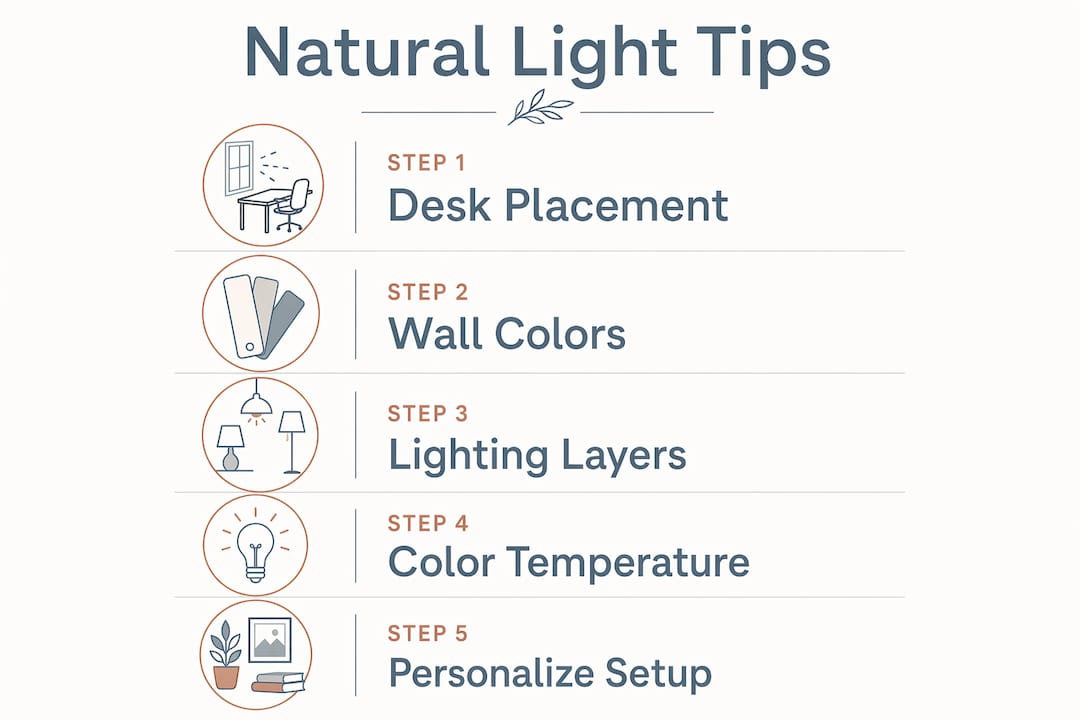
Window orientation determines the quality and consistency of the light you receive throughout the day. East-facing windows deliver bright morning light that supports alertness during peak focus hours. South-facing windows provide the strongest and most consistent daylight across the full workday, though they carry some glare risk in the afternoon. North-facing windows offer the most even, glare-free light all day, making them a reliable choice for video calls and detailed visual work. West-facing windows flood a room with warm afternoon light, which can cause significant glare between 2 p.m. and 5 p.m.
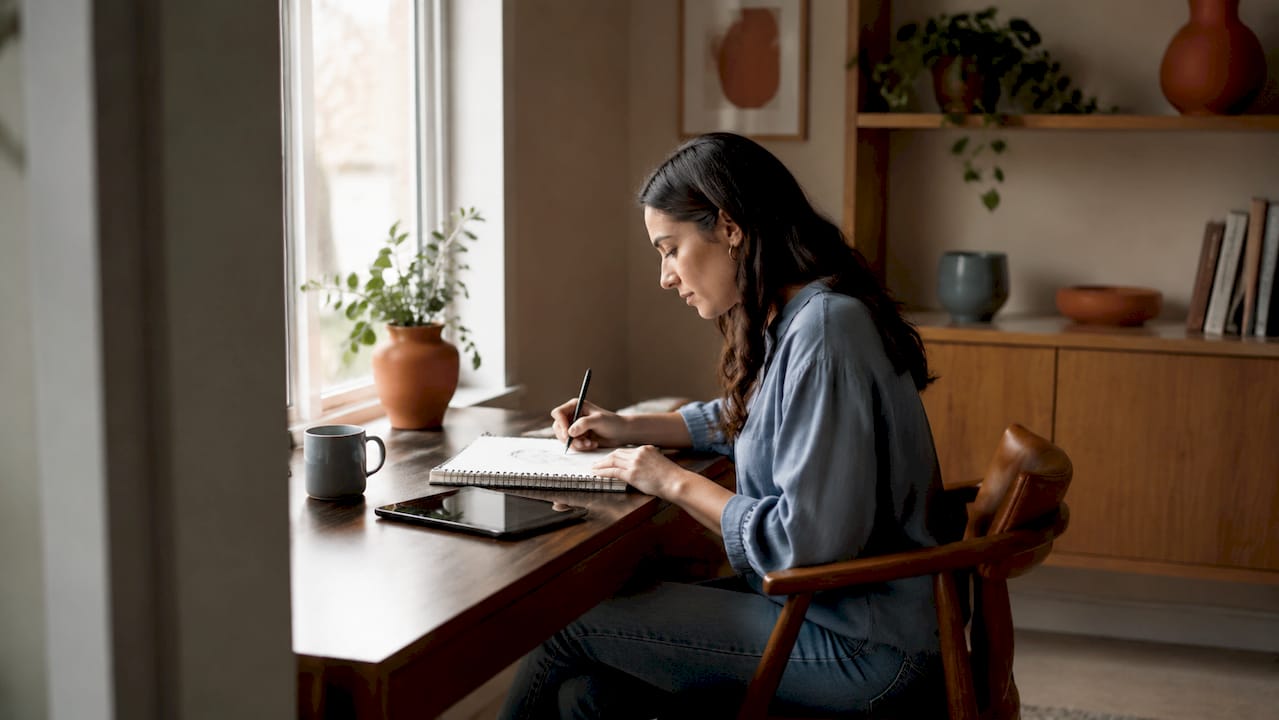
Desk placement relative to your window matters as much as orientation. The correct position is perpendicular, meaning your desk sits at a 90-degree angle to the window. This lets daylight fall across your workspace without hitting your monitor directly. Positioning your desk directly in front of a window creates screen reflections. Sitting with your back to the window causes glare on the monitor from behind. The perpendicular setup solves both problems.
Key positioning checklist:
- Place your desk at a 90-degree angle to the nearest window
- Use sheer curtains or adjustable blinds to diffuse direct sun without blocking daylight
- Check for external obstructions like trees, overhangs, or neighboring buildings that reduce light penetration
- Aim for 300–500 lux on your work surface for sustained focus tasks
- Use a free phone compass app to confirm your window’s cardinal direction before committing to a layout
Wall color and finish are often overlooked. Pale, matte wall finishes behind your monitor raise ambient light levels and reduce the harsh contrast between your bright screen and a dark surrounding wall. That contrast is a major driver of eye fatigue during long sessions. A warm white or soft gray matte finish reflects ambient light evenly without creating glare of its own.
Pro Tip: Before rearranging furniture, spend one full workday in your space and note where direct sun hits your desk at 9 a.m., noon, and 3 p.m. That observation tells you more than any floor plan.
What lighting types and layering strategies complement natural light?
Natural light alone is not enough. Overcast days, early mornings, and late afternoon sessions all require supplemental lighting. The solution is a layered approach that uses three distinct light sources working together.
The three-layer system:
- Ambient lighting covers the whole room. An overhead fixture or ceiling-mounted LED panel provides base illumination so no corner of the room falls into shadow.
- Task lighting targets your work surface directly. A desk lamp positioned to the left of your monitor (or right, if you are left-handed) eliminates shadows without creating screen glare.
- Accent lighting adds depth and reduces the visual contrast between bright work areas and darker walls. LED strips behind a monitor or a small floor lamp in a corner both serve this purpose.
Color temperature is where most home office setups go wrong. The number is measured in Kelvin (K) and describes how warm or cool a light source appears. Cool-white light at 5000K–6500K in the morning mimics midday daylight and supports alertness. Warmer light at 2700K–3000K in the afternoon aligns with the body’s natural wind-down signal. Tunable LED lamps, which let you shift color temperature throughout the day, outperform static bulbs for this reason.
| Time of day | Recommended color temp | Effect |
|---|---|---|
| Morning (7 a.m.–noon) | 5000K–6500K | Supports alertness and focus |
| Midday (noon–3 p.m.) | 4000K–5000K | Neutral, sustained productivity |
| Afternoon (3 p.m.–6 p.m.) | 2700K–3000K | Aids circadian wind-down |
Bulb quality matters beyond color temperature. High CRI bulbs rated 90 or above render colors accurately and reduce eye fatigue compared to cheaper low-CRI alternatives. CRI stands for Color Rendering Index, a scale from 0 to 100 measuring how accurately a light source shows true colors. A high-CRI bulb makes your workspace feel alive and makes video calls look professional. A low-CRI bulb makes everything look slightly washed out, which adds subtle visual strain over hours of work.
Pro Tip: Buy one tunable LED desk lamp before investing in overhead fixtures. Use it for two weeks and track your afternoon energy levels. The data from your own experience is more convincing than any spec sheet.
What are common mistakes when using natural light in home offices?
Direct sunlight on a monitor is the most common and most damaging error. It creates glare that forces your pupils to constantly adjust, accelerating eye fatigue within an hour. The fix is not to block all light. It is to diffuse it. Sheer linen curtains or adjustable cellular blinds let daylight into the room while eliminating the harsh direct beam.
Frequent pitfalls to avoid:
- Ignoring how light changes throughout the day, which leads to an overly bright morning setup that becomes a glare problem by noon
- Mixing warm and cool light sources without coordination. Inconsistent color temperatures across lamps create subconscious visual discomfort that compounds over a full workday
- Using a single overhead light as the only source, which creates deep shadows on your desk and forces your eyes to work harder
- Placing a monitor against a dark wall, which creates harsh contrast between the bright screen and the surrounding surface
The afternoon energy drop is a specific and solvable problem. Daylight’s dynamic shifts prevent a workspace from feeling stale. When natural light fades in the afternoon and your artificial lighting stays static, your brain registers the mismatch and fatigue accelerates. Dimmable and tunable lighting that tracks the day’s natural arc solves this. Productivity researchers confirm that flexible, dimmable setups prevent the mental exhaustion that fixed lighting causes by mid-afternoon.
Pro Tip: Set a phone reminder at 2 p.m. to adjust your lamp’s color temperature to 3000K and dim your overhead light by 20%. This single habit can extend your productive afternoon window by 60–90 minutes.
How can you personalize your home office lighting for your space?
Every room is different. A north-facing room in a ground-floor apartment surrounded by trees receives far less usable daylight than a south-facing room on the fourth floor. Personalizing your setup starts with an honest assessment of what your space actually delivers.
Use a free phone compass app to confirm your window’s orientation. Then observe your room at three points in the day: morning, midday, and late afternoon. Note where shadows fall, where direct sun hits, and how bright the ambient light feels at each time. This 15-minute exercise replaces guesswork with a real baseline.
Scenarios and solutions by room type:
- North-facing room: Maximize ambient brightness with a 5000K overhead fixture and a high-CRI task lamp. Use light-colored home office decor and pale wall finishes to amplify what daylight you receive.
- South-facing room: Install adjustable blinds to manage afternoon glare. A perpendicular desk placement captures the strong midday light without screen reflections.
- East-facing room: Your mornings are bright and productive. Plan deep-focus work before noon. Add a tunable lamp for afternoon sessions when daylight fades.
- West-facing room: Expect strong afternoon glare. Use sheer curtains from noon onward and rely on task lighting for morning hours when the room is naturally dim.
Seasonal adjustment matters too. In winter, daylight hours shrink and the sun’s angle drops, reducing the light that enters your windows. Moving your desk closer to the window by 12–18 inches during winter months can compensate meaningfully. A daylight therapy lamp, rated at 10,000 lux, placed to the side of your monitor during morning hours supplements what the season takes away.
Key takeaways
Natural light in a home office directly improves focus, mood, and sleep quality, and the right desk position, wall finish, and layered lighting strategy determine how much of that benefit you actually capture.
| Point | Details |
|---|---|
| Desk placement is critical | Position your desk perpendicular to windows to gain daylight benefits without screen glare. |
| Color temperature shifts matter | Use 5000K–6500K light in the morning and 2700K–3000K in the afternoon to support your body clock. |
| Wall finish affects eye strain | Pale, matte walls behind your monitor reduce contrast and lower eye fatigue over long sessions. |
| Layer three light sources | Combine ambient, task, and accent lighting so no single source creates shadows or glare. |
| Personalize by room orientation | Assess your window direction and daily light patterns before committing to any fixed setup. |
What I have learned from getting home office lighting wrong first
I spent two years working in a south-facing room with my desk facing the window. The view was great. The headaches by 2 p.m. were not. Moving the desk 90 degrees to a perpendicular position felt like a minor change. The difference in afternoon focus was not minor at all.
The second lesson took longer to learn. I assumed brightness was the goal. More light meant more productivity. That logic is wrong. Consistency and quality matter more than raw brightness. Switching to a high-CRI tunable LED lamp and matching my overhead fixture’s color temperature to it eliminated the visual fatigue I had blamed on screen time for years.
The detail most people skip is wall color. I painted the wall behind my monitor a warm white matte finish after reading about ambient contrast. The change cost less than $40 in paint. The reduction in eye strain was immediate and measurable. No supplement or productivity app delivered a comparable result for that price.
My honest recommendation: start with desk position, then address color temperature consistency, then look at wall finish. Do not buy expensive smart lighting systems before fixing those three fundamentals. The modern home office furniture you choose should support that sequence, not replace it.
— Kevin
Build your ideal natural light workspace with Thealtohome
Getting your lighting right is only half the equation. Your desk needs to move with you.
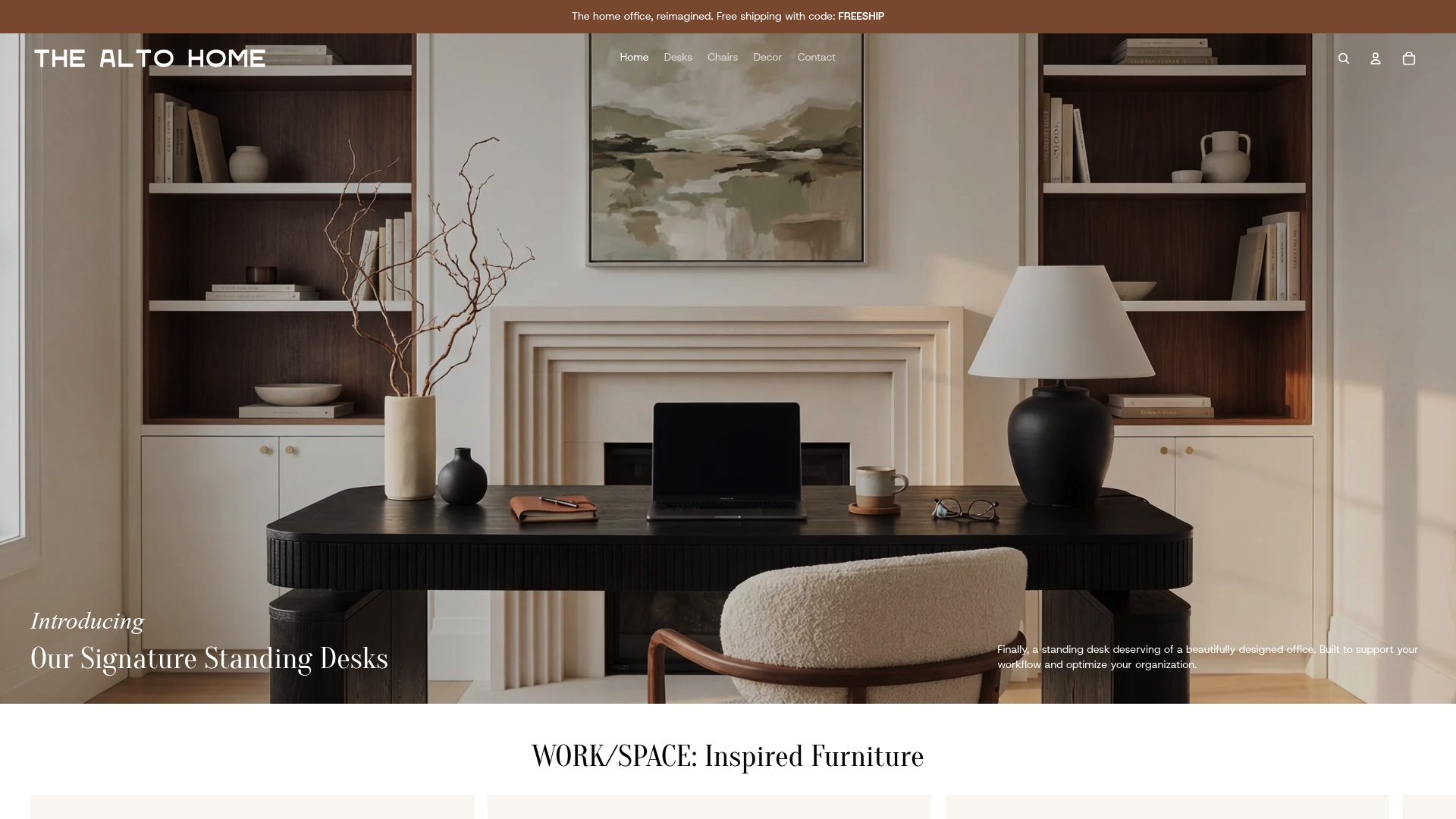
Thealtohome’s adjustable standing desks are built specifically for home offices where light and ergonomics work together. The Gramercy and Tribeca desks let you shift height throughout the day, so you can stand closer to a window during morning hours and sit at the optimal screen distance in the afternoon. Each desk is crafted from high-quality wood with finishes that complement pale, light-reflecting wall colors. If you are building a workspace around daylight, your desk should be as flexible as your lighting. Explore the full collection at Thealtohome and find the setup that fits your room, your light, and your workday.
FAQ
How does natural light improve productivity in a home office?
Natural light stimulates serotonin production and regulates your circadian rhythm, which directly improves mood, alertness, and sustained focus. Workers with good daylight access sleep 46 more minutes per night, which compounds into better next-day performance.
What is the best desk position relative to a window?
Place your desk perpendicular to the window at a 90-degree angle. This position delivers circadian light benefits without creating screen glare or monitor reflections.
What color temperature bulbs should I use in a home office?
Use 5000K–6500K bulbs in the morning to support alertness and shift to 2700K–3000K in the afternoon to align with your body’s natural wind-down cycle. Tunable LED lamps make this transition easy.
Can I compensate for a lack of natural light with artificial lighting?
You can partially compensate using high-CRI bulbs rated 90 or above, tunable LEDs, and a 10,000-lux daylight therapy lamp. Full-spectrum dynamic natural light still provides cues that artificial sources cannot fully replicate.
Does wall color really affect eye strain in a home office?
Yes. Pale, matte wall finishes behind your monitor reduce the contrast between your bright screen and the surrounding surface, which is a primary driver of eye fatigue during long work sessions.
